
Revenant maps

Vinylon

New member
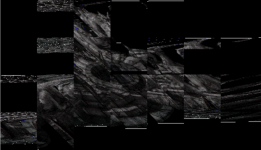
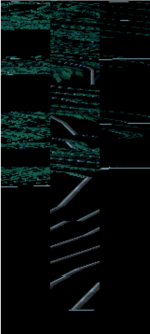
Hey all, I watched the Revenant video a few days ago and I didn't have much else to do (zing), so I figured I'd take a shot at generating images of the game's maps. It's got a nice art direction, so why not? The good news: I worked out the automaps! The bad news: I couldn't figure out the full-resolution maps. I'll post what I managed to piece together in case anyone else wants to give it a shot, though.

So here are the actual maps; sorry that they're oddly-sized, I was lazy and used what I guess is the game's coordinate system, so I wound up just copy/pasting the map parts of some giant, mostly-black bitmaps.

http://imgur.com/a/s77l5

I generated those from the .bmp files in the Ahkuilon.rvm/Automaps folder. At first I didn't see any images at all, so I tried just grepping for '[mM]ap' in that file since it was one of the biggest. It didn't have much information, but a bunch of lines started or ended in 'PK', and some googling told me that those were the initials of one of the creators of the .zip file format. So I tried unzipping it. Believe it or not, that actually worked - this game's resource files are just renamed .zip archives! I wouldn't be surprised if that's a pretty common practice - I mean, why write your own system to compress and index tens of thousands of files?

So the module file contained about 3,000 64x64 pixel bitmaps with names like, '5_8_34.bmp'. It turns out that those numbers represent the map number, and an X,Y grid coordinate. So you can just loop through them and fill in a big image for each level one 64px tile at a time. This is the python script I used if anyone is interested, but it's hack-y and just does the bare minimum.

http://pastebin.com/V6Xvz7hq

I think the coordinates of maps in similar areas are relative to each other, so you could probably generate more complete maps by overlaying the right ones. You should be able to easily do that just by changing the range of 'n' and moving the 'new_im' creation and saving outside of the loop.

Unfortunately, the automaps are really low-res. It's better than nothing, but the actual maps are stored in .DAT files under /Map which - and this is just guesswork - seem to specify coordinates for the placement of images and game elements. The 'imagery.rvi' file is also just a zip file, and it contains all of those images, but they are all in '.i2d' format. I have no idea what that is and neither does google, so it might be a proprietary format. The headers seem to always start with the same 4 bytes, 0x43 47 53 52, but that's not a lot to go on. I tried importing them as raw RGB data, but that just looked like gibberish no matter how I massaged it. The game was 16-bit though, so...well, I don't know. Image compression is black magic to me. The 3D character models are '.i3d' files which might be associated with a toolkit called Houdini, but I couldn't make heads or tails of them.

Anyways, it was getting late at that point and I gave up. If anyone's seen those types of files before, I'd be interested to hear what they are. And hey, at least the automaps are something.

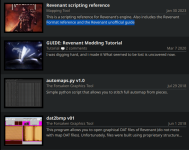
 
Ah okay, so this is the automap data (I think I couldn't even get that working in the episode). Not as good as the full thing, but definitely cool. I actually plan on discussing the maps when I get to the followup episode.

 
Yeah, it's just the automaps. The map data is stored with the same sort of coordinate filenames as the automaps, so I think it would be pretty doable to generate images of them if the assets were jpegs or something. I couldn't find out anything at all about the i2d format, though. C'est la vie.

 
based on `map sector file format` doc, i was able to conjure up this Modules/Map/*.dat file format spec: https://pastebin.com/XeMvt9aw

sadly, i2d files are still a mystery to me. but thanks to this work: https://www.moddb.com/mods/the-forsaken/images/example-of-dat-images#imagebox image files with .dat extension (mostly in root game folder) are quite easy to extract, but they are not relevant for the task of stitching together a map (they mostly have game UI elements). a draft version of the file spec for images.dat files is here (its WIP, but with a bit of work it can be usable): https://pastebin.com/r52j4Wbt

so, at this moment 2/3 pieces of the map extraction pipeline are possible (first, extract all *.rvr files as zip files that you can find in your game dir and sub dirs):

  1. read Modules/Map/*.dat files and extract TILEs from it (with coordinates, rotation, etc) - DONE (use https://pastebin.com/XeMvt9aw KaiTai scheme to generate a parser for your language of choice or just use https://ide.kaitai.io/ to check it out first)
    image.png
     
  2. Using `unique_id` of each TILE in a Modules/Map/*.dat file, get the actual tile texture path - DONE
    (open `class.def` file in game root folder and search for 0xblablabla unique_id that you got from the tile on the map in step 1)
    image.png
     
  3. Read the Imagery from the texture in path Imagery/Folder/file.i2d - NOT_DONE
    I've tried to reverse engeneer the format myself, but was not succesful in this yet. Any help of either reverse engeneering from scratch or better yet, somehow downloading this file https://web.archive.org/web/20000817185014/http://tux.telefragged.com/file.pl?filename=fileformat.zip&dir=telefragged/revenantqs/
    If you know where to find it, it would be tremendously helpful in achieving step 3 here.
    image.png
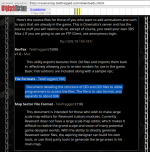
    it's a:
    Document detailing the structure of I3D and I2D files to allow programmers to access the files. The file is in .doc format, and expands to about 60K.
    Anyway, I started a very drafty file spec for i2d files here (but it's mostly trash at the moment): https://pastebin.com/UqCXNLry
     
 
Some good news some bad news.

I played around a bit in kaitai and got it somewhat working for i2d bitmaps, but only for really small ones. Larger ones seem to be chunked, LZ compressed and run length encoded, and I wasn't able to figure out uncompressing them.

The spec files mentioned above are gone for good I think, at least I wasn't able to find them anywhere (believe me , I  tried). Not all is lost however, as the entire (?)  Revenant source code is on github, so for someone who actually knows c++ it should be possibe to figure out the format.

Link to kaitai thingy: 

https://pastebin.com/7rTFwcfd

Revenant source code:

https://github.com/benjcooley/Revenant

 
Last edited by a moderator:
Larger ones seem to be chunked, LZ compressed and run length encoded, and I wasn't able to figure out uncompressing them.
okay, after spending about a week on this problem here's where we are.

I think I'm close to figuring out the compression/chunked data format of the image files.

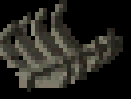
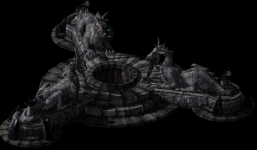
here's the output I got for Imagery/Misc/dragonent for example:
image.png
As you can see, it's not quite correct yet, but you can still kinda see a dragon there, it's just the chunks are incorrectly aligned or appear scewed. 
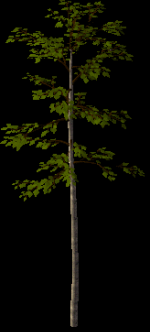
Here's another example Imagery/Forest/forbirch001:
image.png
Again, you can kinda see a birch tree here. but the pixels are not aligned properly. 

What this tells me is that the decompression of each chunk works more or less as it should (I based it on ASM code in https://github.com/benjcooley/Revenant/blob/83f806bb65b762b2cc3e1ea509010f05342caa12/chunkcache.cpp#L249). The part that is missing is chunk alignment/sizing.

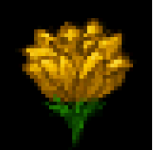
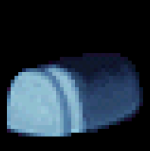
On another note, I'm also having some troubles with palletes for 8bit images.
For example, here's Imagery/Misc/blueflower:
 image.png
As you can see, it's not blue, but a yellow in fact.
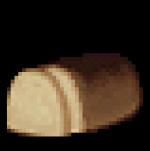
Here's another example Imagery/Misc/bread:
image.png
Again, not quite the color of bread.

The thing is, I'm short on time ATM, so unfortunately, I have to stop here for now. Maybe I will pick this up later when I have more free time 

In case, anyone would like to continue or learn from my efforts, I've uploaded my JS code to Github: https://github.com/WiegerWolf/revenant-map-builder and also attaching it to this post. It's a single long js file for Node.js. 

main.js.txt (mirror https://pastebin.com/UY7cbc2w)

Oh and I also found this https://github.com/IgorZyktin/Revenant which contains some useful things too in python


Attachments

Last edited by a moderator:
That is awesome. All I got was just different images of noise when trying to decompress. :D I think i looked at thousands of them. 

The colors thing should be simple enough I think. Judging by yellow swapping to blue and vice versa, it would most likely mean that red and blue channels are swapped. Manually swapping them  results in this:

image.pngimage.png


I'll try to tinker with it when I have some time. Awesome work, I'm excited.

 
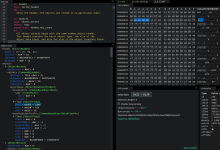
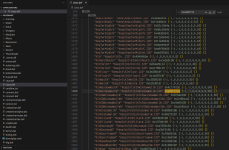
some new exciting developments! thanks to the incredible work of many folks discord (https://discord.gg/3bc6UbfkpW) user Slender47 was able to put together what is basically a game assets browser for the beloved 1999 game Revenant:
Glffili.png

O7e0uZf.png


fgtqRIS.png


do6nbOj.png


Thought I'd head over here and just show a little support for Ross for keeping the memory of my(our) game alive for the past 10 years. Ross was pretty brutal in his review - and he wasn't wrong - it was hilariously funny and I always enjoyed it. I think Ross got more people to actually play the game with his videos than if he had given it a thumbs up. Folks I guess were just curious to see it for themselves because it looked so pretty in the videos.

I saw this editor for the engine for objects. Lot of work in 2026. Impressed. I've actually been restoring the game engine to work on modern platforms and the code is open source and on github. I've always wanted to go back to the game and fix the issues keeping it from working on modern platforms, but I only had a build of the game from about 8 months from release and it was missing the final release version of the code which is now unfortunately unreadable.

In any case, thanks Ross. BC
 
I feel like we're forgetting something... 🤔 Ah yes, the full resolution map renders. Here's what I was able to come up with. Please note that lighting is a vibe-coded approximation, but i think it looks pretty much the same as the game (?)

@Ross Scott

 
Ross Scott — an update on the full-resolution Revenant maps!

Following up on the map work here and in the Revenant RE Discord, I've put the native atlas online:

https://revenant-native-atlas-2026.lithepond4.chatgpt.site/

Source code and reproduction/hosting instructions

There are now two editions in one viewer: 33 maps from the July 1999 build and 37 GOG 1.22L locations, including the six deathmatch maps. The large July island image is 65,024 × 29,952 native pixels. Every map has a full-resolution PNG and a lossless tiled BigTIFF download, with dimensions and file sizes shown beside the links. The viewer supports 1:1 inspection and preserves your position when switching editions. A draggable 24-hour clock selects the original authored lighting for the retail outdoor island and ruins.

The captures use the original executables through their level editors with Wine/D7VK, so lighting, 3D scenery, shadows, effect frames and visible creatures/NPCs/items come from the game renderer. The images stitch native pixels; the tools and limitations are documented in the repository.

One important recovery caveat: retail levels 41, 42 and 43 contain object references whose definitions are absent from the available files, and the unmodified retail loader stops on them. Those three maps are explicitly labeled Recovered in the viewer and download filenames. They omit 10, 4 and 2 placements respectively. The other scenery is captured by the original renderer, but these three are not fully 1:1 restorations.

These are also stitched snapshots across successive animation phases, with editor AI paused and visibility depending on the loaded state. They don't represent every quest state or one synchronized island simulation, and I'm not claiming universal pixel-perfect equivalence to every gameplay state or GPU. The code work used AI assistance; the map imagery is captured game output, without generated artwork or inpainting.

Thanks to Cinematix and Ben Cooley, the RevenantRevisited and D7VK contributors, MathJazz/depy, Slender47/chrisdev1187, pvtjokerr, Vinylon and everyone who kept this going. pvtjokerr's recent render post helped move the map effort forward. Contributor links are in the site's Credits popup and the repository.

Please flag any remaining bad joins or rendering issues with the edition, level, hour and a screenshot/coordinates. Thanks again to everyone here, and to Ross for the original push to see the maps at full resolution.

Public archive backups
Public archive mirrors (both editions; all 74 PNGs, 74 BigTIFFs, viewer tiles and restore files; about 5.05 GB per mirror).

MediaFire · MEGA
Backup verification and restore instructions
 
Last edited:
Back
Top